Last updated: July 7, 2026
The following diagrams have been created to help illustrate typical calendar entries for various leave of absence (LOA) scenarios. For more details, refer to the Leave of Absence User Guides:
- Leave of Absence – Sick/Injured or Becoming a Parent – Staff Campus
- Leave of Absence – Sick/Injured or Becoming a Parent – Academic Personnel
Staff Example: Becoming a Parent Leave (FMLA Approved)
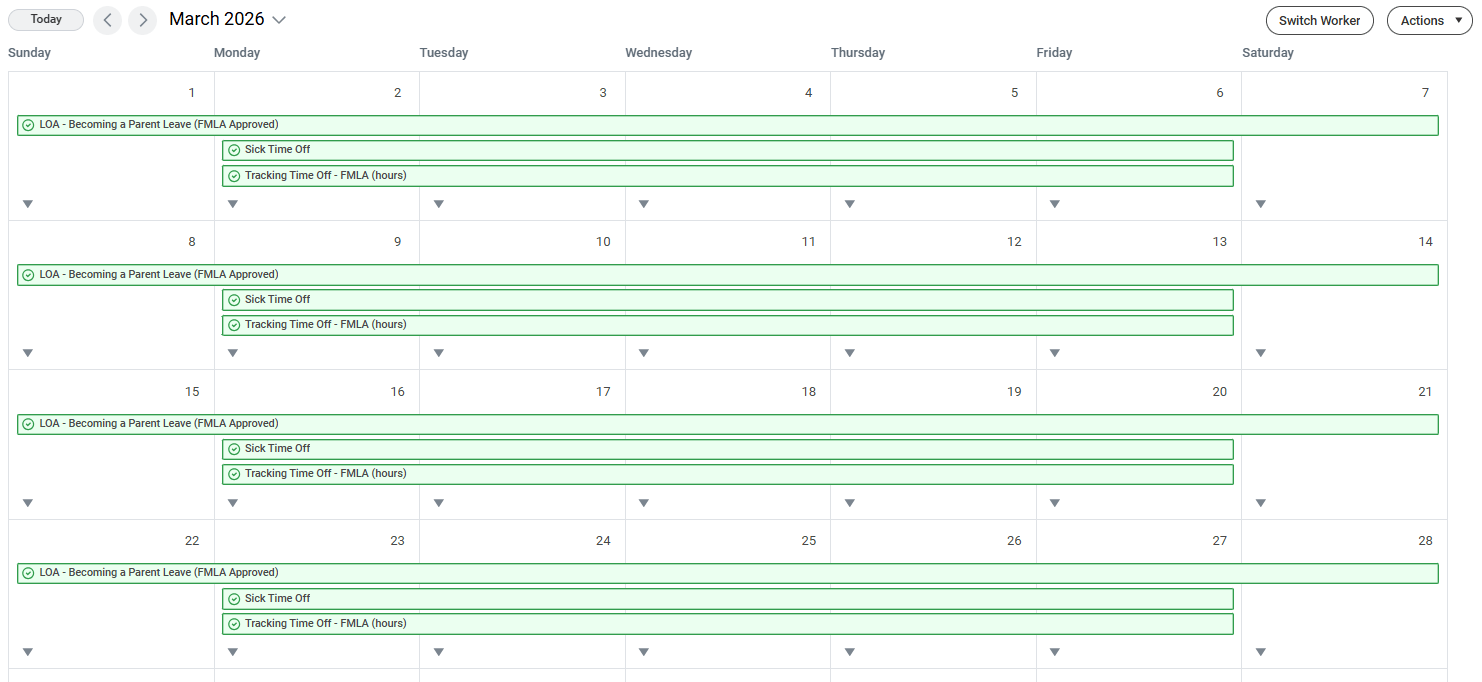
Considerations
Leave of Absence:
- No Payroll Impact
- General LOA Request entered by the Employee or HR Partner
- If the general request is approved by the Leave and Accommodation specialist (Absence Officer Partner), the leave will be changed to (FMLA Approved)
Time Off:
- Payroll Impacting
- Sick, Vacation, Unpaid, etc. entered by the Employee or Time and Absence Initiate for all weekdays during the leave
Tracking Time Off – FMLA:
- Tracks the FMLA entitlement balance
- Entered by the Leave and Accommodation Specialist (Absence Office Partner) after the leave is approved, as a “tag” associated with the time off entries (unless the leave is intermittent)
Faculty Example: Sick Leave (FMLA Approved)
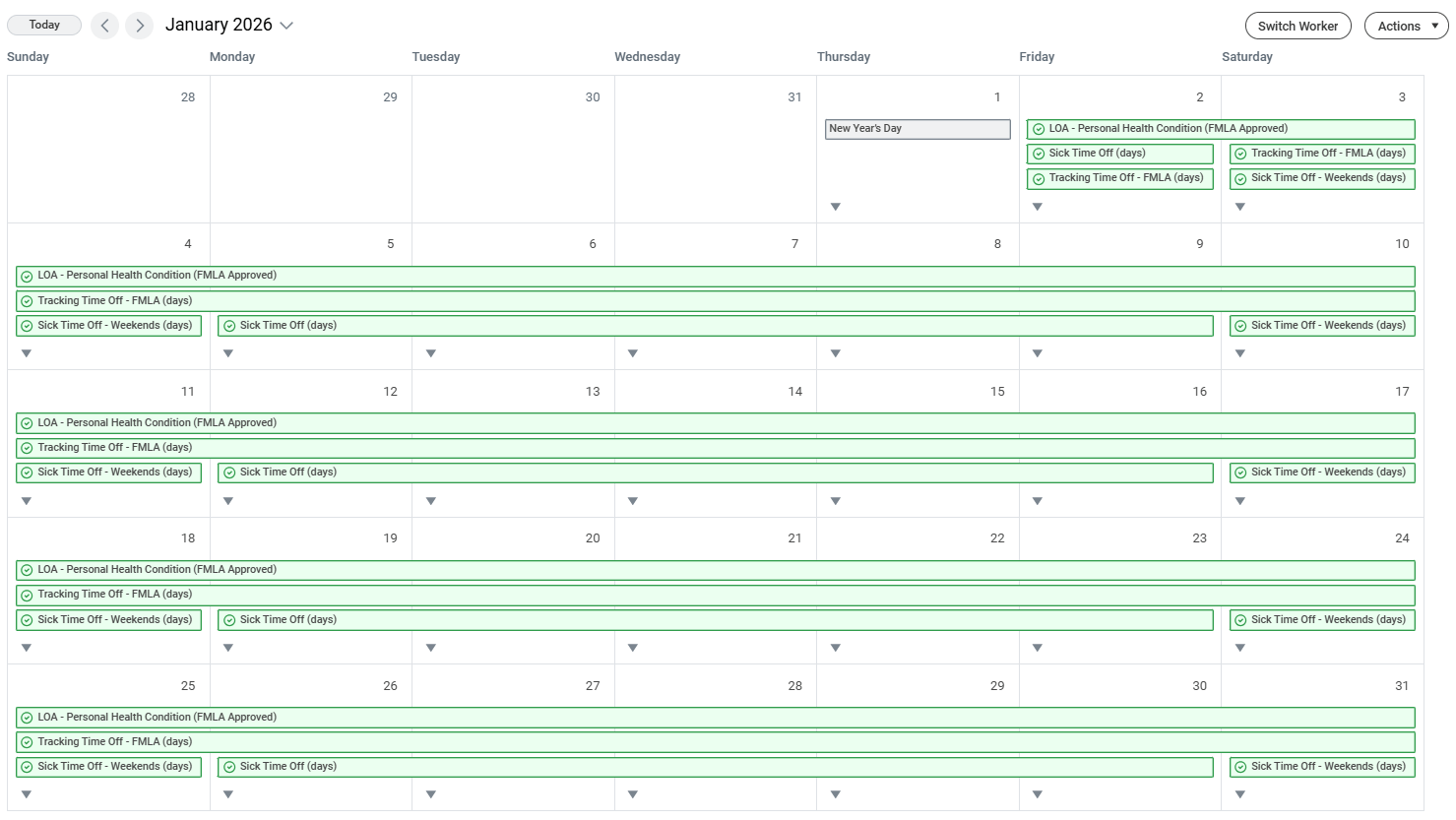
Considerations
Leave of Absence:
- No Payroll Impact
- General LOA Request entered by the Employee or Academic Partner
- If the general request is approved by the Leave and Accommodation specialist (Absence Office Partner), the leave will be changed to (FMLA Approved)
Sick Time Off:
- Payroll Impacting
- Sick Time Off (days) entered as “1” day increments for all weekdays during the leave by the Academic Partner
Sick Time Off – Weekends:
- Payroll Impacting
- Sick Time Off – Weekends (days) entered in 1-day increments for all Saturdays and Sundays during the leave by the Academic Partner
Tracking Time Off – FMLA:
- Tracks the FMLA entitlement balance
- Entered by the Leave and Accommodation Specialist (Absence Office Partner) after the leave is approved, as a “tag” associated with the time off entries (unless the leave is intermittent)